
Press Releases
HULINKS Announces Major Version Upgrade of Optical Thin Film Design Software: TFCalc V5.0 to Launch on October 27, 2026
Featuring a Comprehensive UI Overhaul, 3D Plotting, 64-Bit Architecture, and Newly Introduced Academic Pricing
TOKYO, JAPAN — October 8, 2026 — HULINKS Inc. (Headquarters: Chuo-ku, Tokyo; President: Hiroki Uchiyama), a developer and distributor of scientific software and a wholly owned subsidiary of ARGO GRAPHICS Inc. (Chairman and CEO: Yoshimaro Fujisawa), today announced the upcoming release of TFCalc V5.0, a major version upgrade of its optical thin film design, analysis, and optimization software, scheduled for official release on October 27, 2026.
TFCalc v5.0 Release
After more than two decades, TFCalc is undergoing its major version upgrade. TFCalc Version 5 features a completely revamped user interface and significantly improved usability, all while retaining the full functionality of previous versions. This new release enables an intuitive and efficient design workflow.
※ Scheduled Release Date: Late October 2026
Key Features & System Enhancements
Multi-Document Interface (MDI)
When working on multiple thin-film designs simultaneously in V3, identifying which window corresponded to which design was difficult. V5 adopts a Multi-Document Interface, ensuring that all information required for each TFCalc instance is contained within a single, unified window.
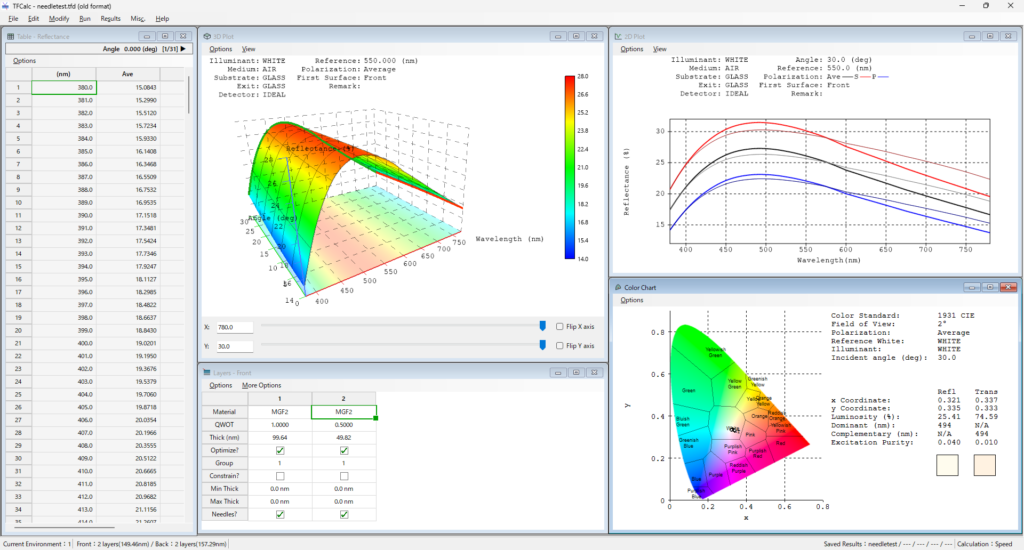
Excel-like User Interface
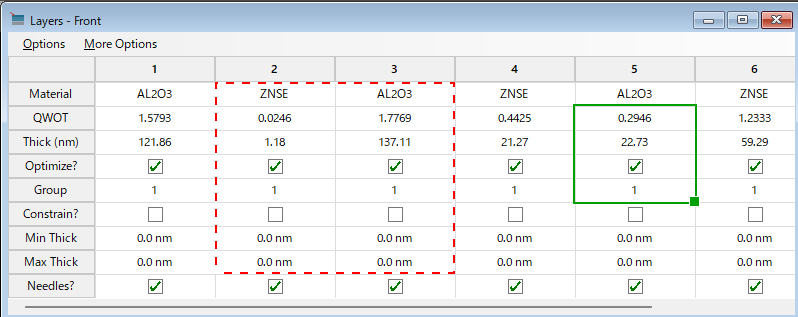
The tabular windows used for configuring layer structures, targets, and material data have been completely redesigned to enable editing with an experience similar to Microsoft Excel.
- Direct cell selection and input: Edit using the F2 key; navigate using the Enter or Tab keys.
- Range selection via dragging or by clicking row and column headers.
- Auto-fill function by dragging the fill handle.
- Direct Copy & Paste integration with Microsoft Excel using Ctrl+C / Ctrl+V.
- Seamless import of layer thickness tables or dispersion data created in other software simply by pasting them into TFCalc.
Full Support for Undo / Redo
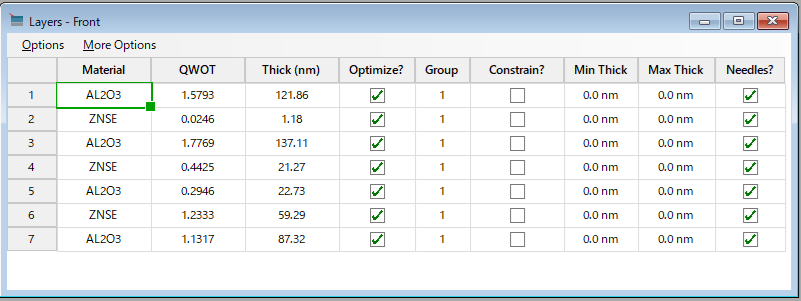
Version 5 offers full support for “Undo” and “Redo” (Ctrl+Z / Ctrl+Y). You can instantly undo actions such as cell input, layer insertion or deletion, editing of material lists or targets, and changes to environment, light source, or detector settings.
Column width adjustments and row/column swaps can also be undone.
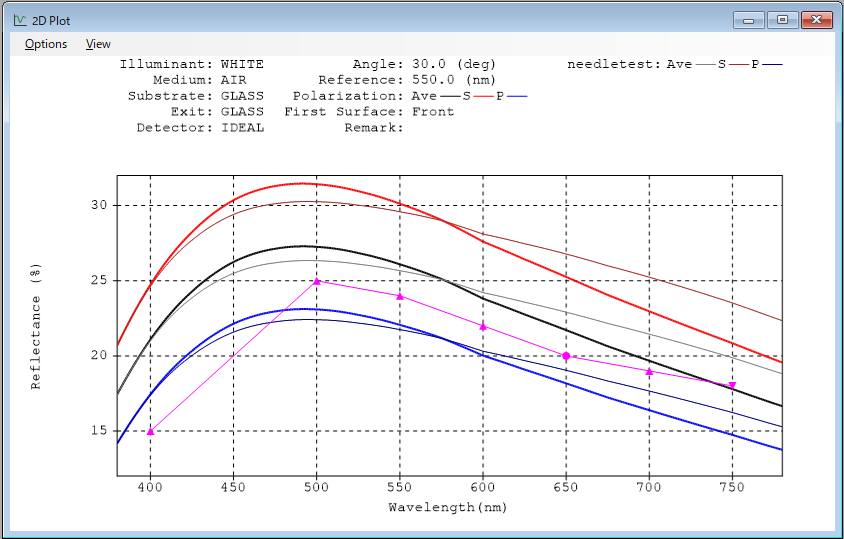
Enhanced 2D Plotting Capabilities
2D plot displays now support color-coded visualization of saved results, the drawing of auxiliary lines, and the display of coordinates at the mouse cursor position. Additionally, users can display preset auxiliary lines on the plot and overlay target plots alongside active target settings.
3D Plots — Simultaneous Analysis of Wavelength and Incident Angle
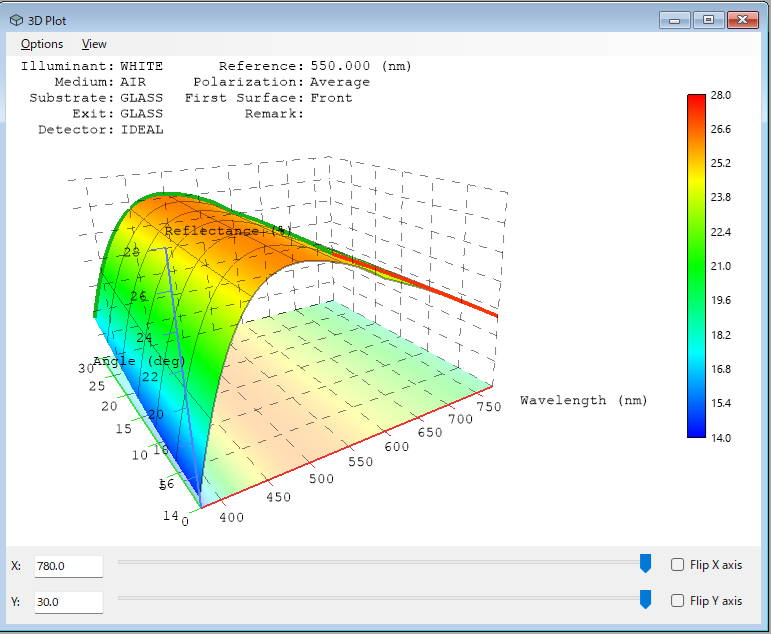
Spectral characteristics—previously examined by switching between angles—can now be visualized as a 3D surface (Wavelength × Angle of Incidence × Characteristic Value) within a single view. This enables a new design workflow where the overall trends of angular dependence can be grasped before performing detailed adjustments.
- Interactive controls: Freely rotate, zoom, and pan using the mouse.
- Cross-section display: View cross-sections at any specific wavelength or incident angle.
- Advanced display features: Supports floor projections, grids, legends, and target overlays.
- Export capabilities: Save plots as image files, print directly, or copy to clipboard.
Japanese & English Bilingual Support
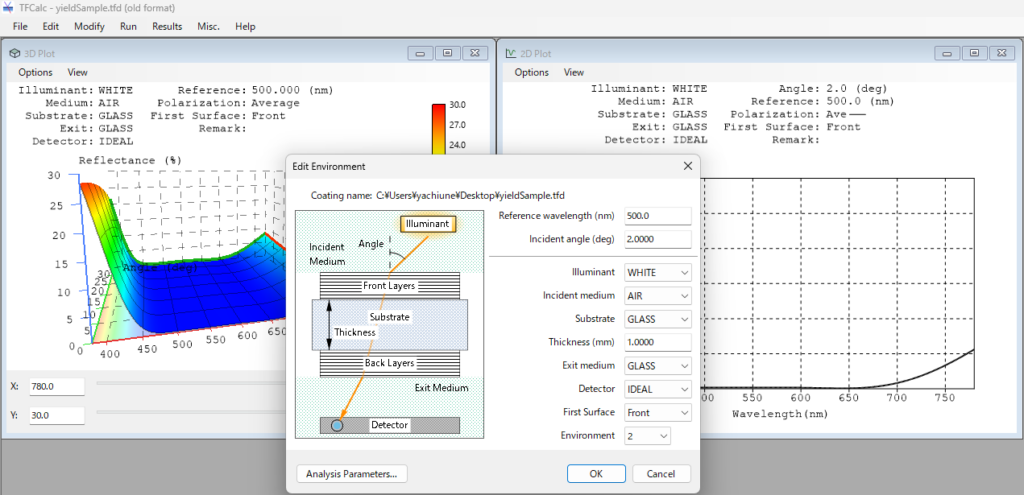
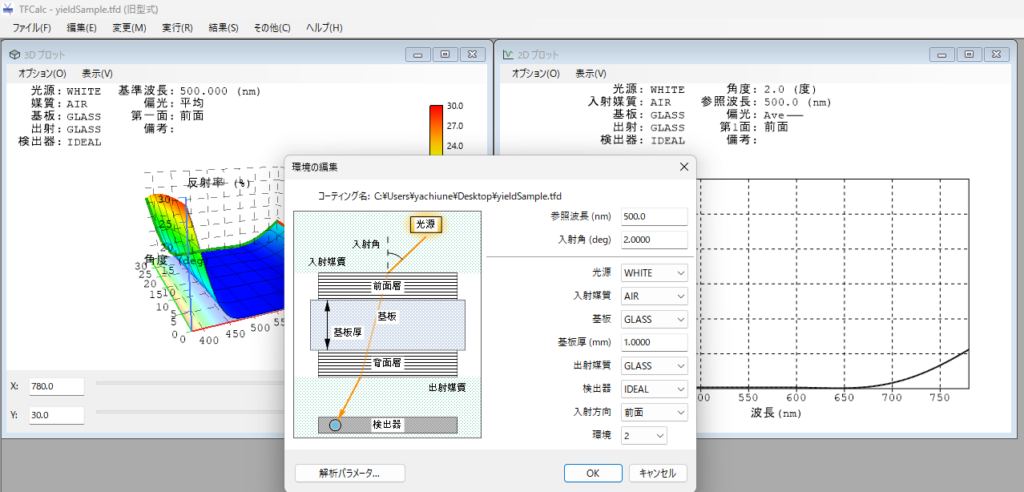
The user interface fully supports Japanese, allowing seamless switching between English and Japanese languages.
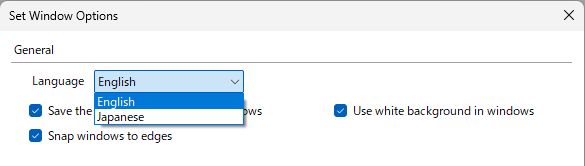
English Edition
Japanese Edition
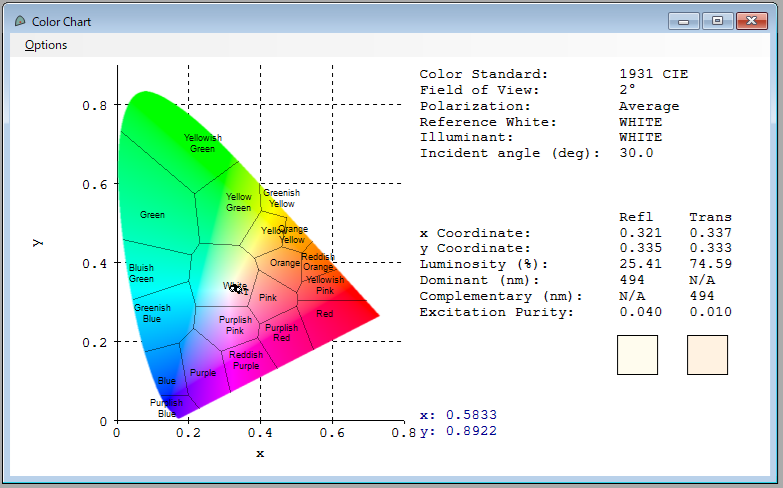
Revamped Color Chart Functionality
Color charts, previously restricted to black-and-white displays, now feature true color coding for superior visual clarity. Users retain the option to switch back to the classic display mode.
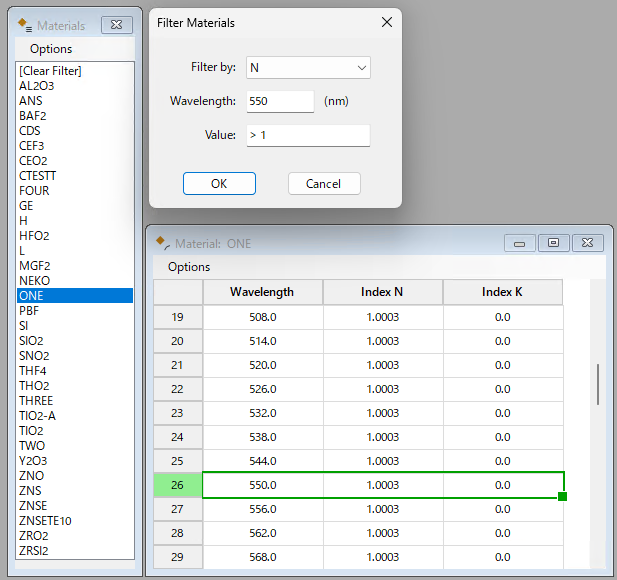
Material Filtering Function
When dealing with a vast number of materials, users can set filter criteria based on refractive index (N) and extinction coefficient (K) relative to wavelength to quickly identify specific optical materials.
And more…
- Native 64-bit Architecture: Rebuilt from the ground up for modern high-performance computing.
- Expanded Field Lengths: Material names and other text fields expanded to 50 characters.
- Calculation Mode Toggle: Switch flexibly between “Speed-Priority” and “Accuracy-Priority” calculation engines.
- Parallel Installation: Supports side-by-side installation alongside an existing TFCalc V3.6 environment.
- Full Backward Compatibility: Open, edit, and save TFCalc V3.6 file formats seamlessly.
System Requirements & Technical Summary
| Operating System | Windows 11 (64-bit native application) |
| Graphics Requirements | Requires graphics card/environment supporting OpenGL 3.2 or later (mandatory for 3D plot rendering) |
Product Pricing & Trial Application
• Product Inquiries & Pricing:
For detailed pricing information, please contact soft.sales@hulinks.co.jp
• Trial Application URL:
To apply for an evaluation copy or trial license, visit TFCalc Demo Request.
Note: When filling out the trial request form online, please enter ‘V5 Request’ in the remarks field to ensure prompt handling.